
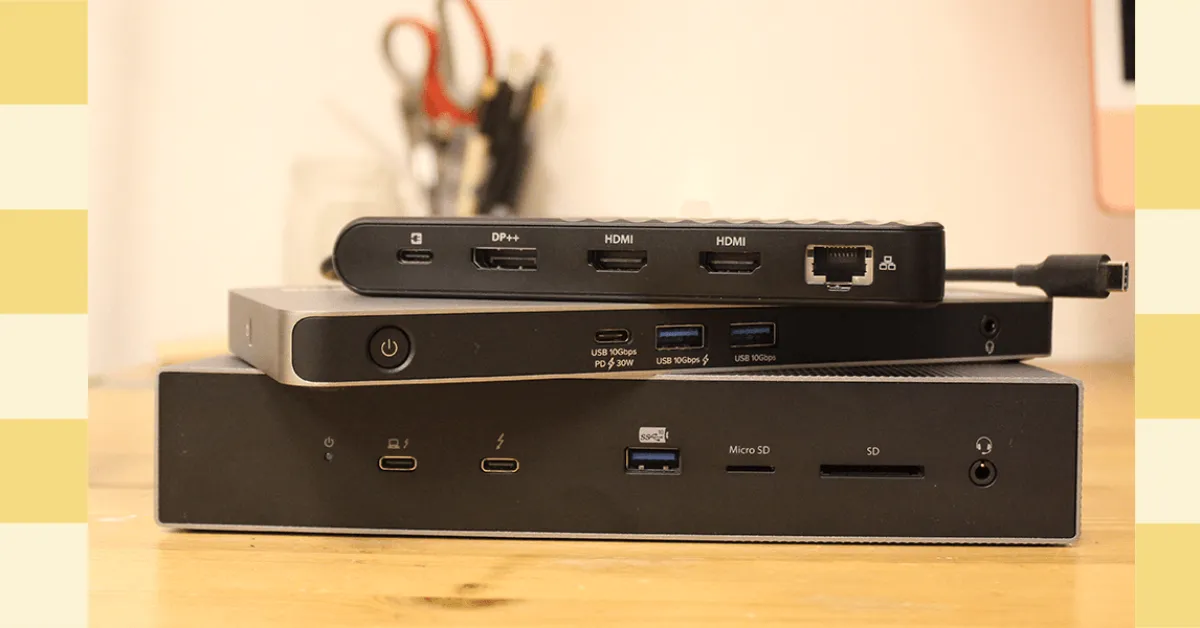
Don't settle for basic connectivity. If you're looking to supercharge your laptop's capabilities, a solid docking station is your secret weapon. While many docks might seem "fine," we've dug deep to find the standout options that actually deliver on performance and features, even if they didn't make our absolute top picks.
For those eyeing budget-friendly solutions, the Baseus Spacemate Air 12-in-1 Mac Docking Station offers dual 4K display support for around $200, making it a compelling alternative to more premium options. It's a simple plug-and-play solution over USB-C, ideal for older MacBooks or anyone who loves a clean setup. However, it does have a fixed cable and lacks card slots, with some USB ports running at slower speeds.
If you need serious port power, the Belkin Connect Pro Thunderbolt 4 Dock packs 12 ports, supports dual 4K displays at 60 Hz, and delivers up to 90 watts of power to your laptop for $300. While it includes some slower USB-A ports, its overall functionality is impressive. For a more minimalist approach, the Satechi Thunderbolt 4 Slim Pro Hub ($200) offers three Thunderbolt 4 ports capable of 40 Gbps each, perfect for high-speed data transfers and dual monitors without the desk clutter.
The Satechi Triple 4K Docking Station ($300) is a powerhouse for multi-monitor setups, supporting three displays up to 4K at 60 Hz, though it's geared more towards productivity than high-refresh-rate gaming. For ultimate portability, the Kensington Triple Video Mobile Dock ($90) is a tiny but mighty option, enabling three 1080p or two 4K displays at 60 Hz, plus 85W pass-through charging. Just note that its dual 4K support is limited to Windows devices.
Looking for something that blends form and function? The Satechi Dual Docking Station and Stand ($170) elevates your laptop ergonomically while adding essential ports and monitor outputs, plus a handy NVMe SSD slot for extra storage. For the bleeding edge, the Sonnet Echo 13 Thunderbolt 5 Dock ($460) is an early adopter's dream, boasting a vast array of ports and an integrated M.2 slot, though its plastic build is a slight letdown. Meanwhile, the Ivanky FusionDock Max 1 Thunderbolt 4 Docking Station ($330) is a no-compromise option for MacBook Pro power users, driving up to four 6K displays.
Before diving in, consider whether a full docking station or a simpler USB hub is right for you. Hubs are great for portability and basic port expansion, while docking stations are desk-bound command centers designed for seamless workstation integration with a single cable. For the tech-savvy, Thunderbolt 5 is the latest standard, offering massive bandwidth for multiple high-resolution, high-refresh-rate displays and up to 240W power delivery, making it a worthwhile investment for future-proofing, especially as adoption grows.