Apple's recent price increase means choosing the right iPad is trickier than ever, but for most users, the high-end iPad Pro isn't the way to go. The Pro models, starting at a hefty $999 and $1,299 for the 11- and 13-inch versions respectively, become even more expensive with accessories like the Magic Keyboard, which can add another $350. For that kind of cash, you could snag a powerful MacBook instead.
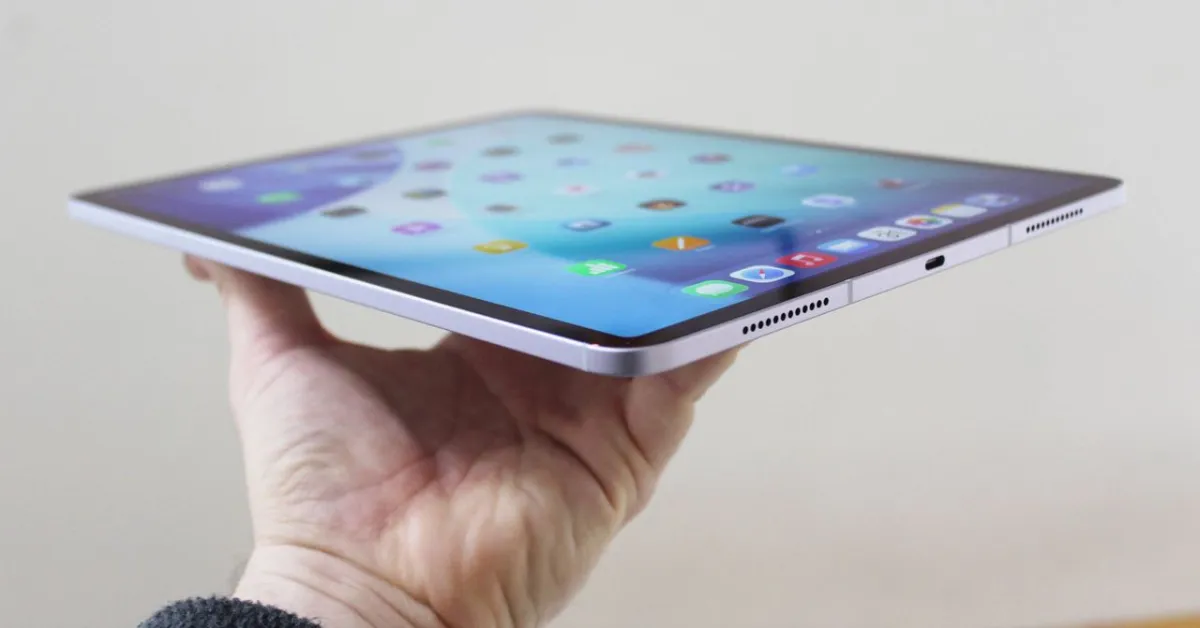
The iPad Pro is undeniably a premium device, boasting a stunning OLED tandem screen that's bright, sharp, and features excellent black levels and a smooth 120-Hz refresh rate. Its speakers are fantastic, the webcam is sharp, and the design is incredibly thin. The M5 chip offers a performance boost, particularly noticeable in demanding AI and graphically intensive apps like Draw Things or DaVinci Resolve, making it ideal for content creators using software like Blender or for music production.
However, iPadOS 26's enhanced multitasking with windowed apps truly shines on the larger iPad Pro and iPad Air models. If you're considering the iPad Pro, weigh whether the tablet experience is worth it compared to a MacBook Pro M5, which might offer slightly more raw performance for general productivity. For those seeking a capable iPad that won't break the bank, the iPad Air is a strong contender; if it meets your needs, you'll save a significant amount of money.
For note-takers and artists, an Apple Pencil is almost essential. The lineup includes the original Apple Pencil (1st gen) for $99, which offers pressure and tilt sensitivity but lacks magnetic charging and pairing. The Apple Pencil (USB-C) at $69 is a more affordable option, great for notes, but it omits pressure sensitivity. The Apple Pencil (2nd gen) for $129, while discontinued, still offers pressure sensitivity, tilt, wireless charging, and a double-tap feature. The top-tier Apple Pencil Pro ($129) adds squeeze gestures, haptic feedback, gyroscope control, and Find My tracking, but is compatible only with the latest iPad Air and iPad Pro models.
Beyond the stylus, various accessories can enhance your iPad experience. The Twelve South Curve Mini ($50) offers a stable and attractive stand, while the Zugu Case ($50+) provides robust protection with multiple viewing angles and a magnetic closure. For input, the Satechi M1 Wireless Mouse ($25) offers a sleek design and long battery life. The Mageasy CoverBuddy Case ($70) works seamlessly with the Magic Keyboard, and the Logitech Combo Touch ($220) turns your iPad into a laptop-like device with a built-in keyboard and trackpad. Screen protection like the Casetify Impact Screen Protector ($56) and folio cases like the Paperlike Charcoal Folio Case ($70) are also great options. For connectivity, the Twelve South StayGo Mini USB-C Hub ($60) adds essential ports, and the Twelve South HoverBar Duo 2.0 ($80) provides versatile hands-free viewing options.